Early meetings drain energy when audio, visuals, and room comfort fail. Learn how better AV design protects focus and improves team output.
Do you join a 9 a.m. meeting and feel tired before your first task? Do you struggle to follow voices or read shared screens? Many teams begin the day with friction.
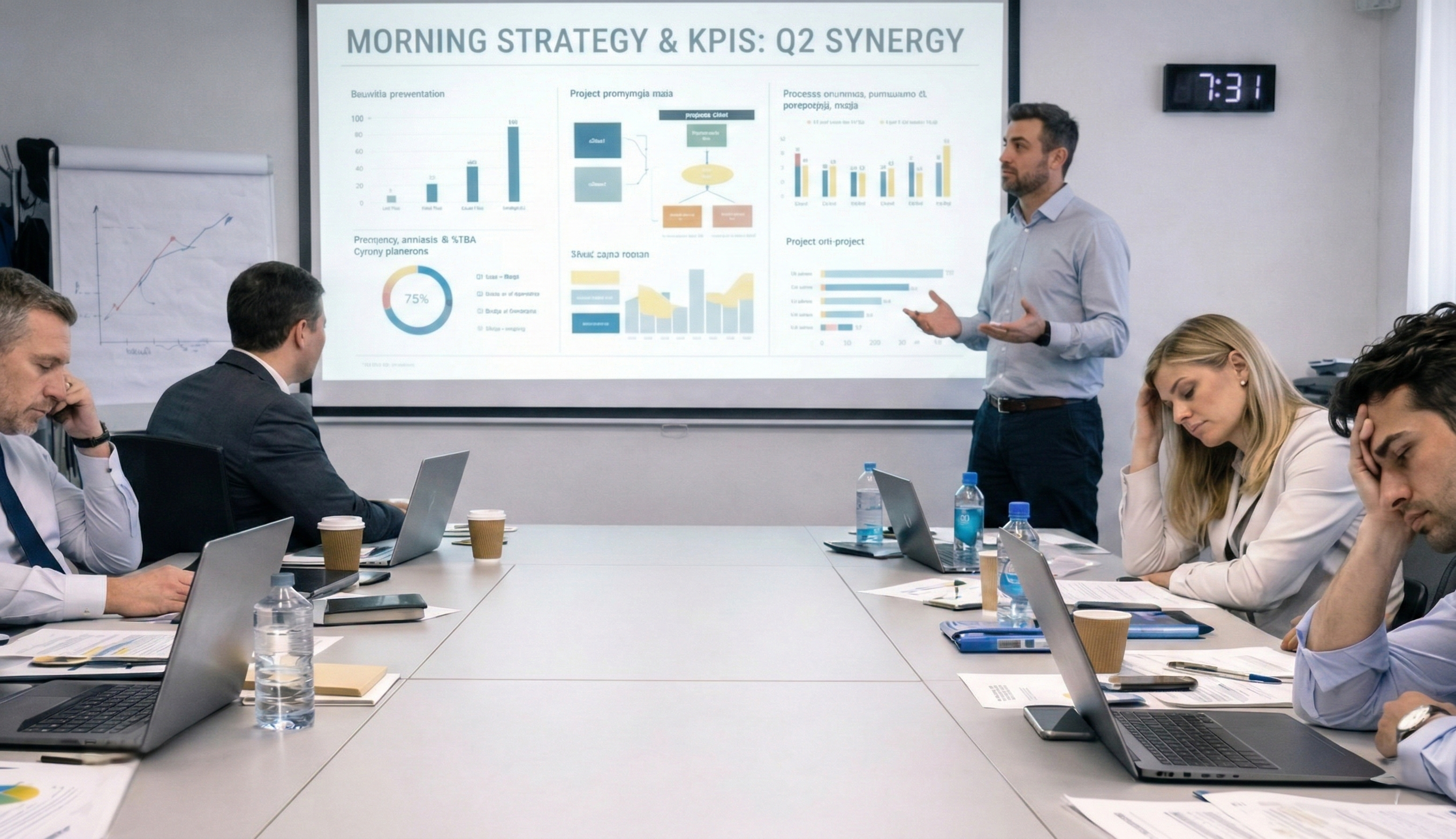
Early meetings set your mental pace. The first interaction shapes focus, mood, and output for the next few hours. Poor sound, harsh lighting, slow logins, and unclear visuals raise cognitive load. Energy drops before real work begins.
This article explains how meeting quality links to energy management. You will see how sound, lighting, room setup, and collaboration tools affect how you feel at the start of the day. You will also find practical steps to fix common issues. Let’s start.
1. Why Early Meetings Shape the Day
Morning hours hold peak alertness for most knowledge workers. Research from the National Institutes of Health (NIH) links sleep cycles with higher cognitive performance earlier in the day. When your first meeting runs smoothly, you carry momentum into tasks.
When the first meeting struggles, three effects appear:
- Attention: Your brain shifts from content to troubleshooting. You spend effort trying to hear or see.
- Pace: Late starts push later tasks. Teams rush decisions.
- Mood: Repeated friction lowers patience. Participation drops.
A strong start preserves energy. A poor start drains reserves before output begins.
2. How Sensory Friction Creates Fatigue
Most meeting fatigue comes from the environment, not the agenda.
- Audio Quality and Listening Effort
Low volume, echo, or background noise forces you to strain. Listening effort rises. Mental fatigue follows within minutes.
Common issues include:
- Microphones placed far from speakers
- Mixed audio levels between remote and in-room voices
- Echo from hard surfaces
- Network delay causing overlap
Action steps:
- Use room microphones with full table coverage
- Balance audio levels before the meeting
- Add acoustic panels or soft surfaces
- Test echo control during setup
Clear speech reduces processing effort. You follow the discussion without strain.
- Visual Clarity and Eye Strain
Blurry screens and low contrast text increase eye fatigue. Participants lean forward. Posture shifts. Focus falls.
Typical problems:
- Small fonts on large displays
- Glare from overhead lights
- Lag between slides and narration
- Camera framing that hides facial cues
Action steps:
- Use larger fonts and high contrast templates
- Position displays at eye level
- Adjust lighting to reduce glare
- Keep cameras aligned with speaker height
Readable content lowers cognitive load. Teams track decisions with less effort.
- Lighting and Alertness
Lighting affects alertness and comfort. Bright glare reduces screen visibility. Dim rooms reduce engagement.
Action steps:
- Combine indirect ceiling light with task lighting
- Avoid direct light on displays
- Maintain even brightness across the room
Balanced lighting supports eye comfort and steady attention.
- Temperature, Seating, and Acoustics
Physical discomfort distracts. Hard chairs, poor airflow, and echo increase fatigue.
Action steps:
- Maintain stable room temperature
- Provide ergonomic seating
- Add soft finishes to reduce echo
Comfort keeps attention on the agenda.
3. The Hidden Cost of Start Delays
Five minutes spent connecting cables seems minor. Across a week, lost time compounds.
Delays create:
- Fragmented focus
- Side conversations
- Lower trust in meeting discipline
The typical worker devotes 11.3 hours each week in meetings, a statistic based on organization size, as big companies (1, 000+ employees) have 12.8 hours on average, while small companies have 10 hours.
Action steps:
- Enable one-touch join for scheduled calls
- Pre-configure inputs and cameras
- Keep rooms ready before the first meeting
Fast start preserves momentum.
4. Hybrid Meetings Increase Cognitive Load
A Microsoft study revealed that the time employees spend in meetings has tripled since the pandemic began. That is in line with the fact that hybrid and remote work have increased, which has made it necessary to arrange face time with colleagues through virtual meetings.
Without integrated tools, the experience becomes uneven.
Common gaps:
- In-room side comments exclude remote members
- Narrow camera views hide body language
- Audio favors the closest speaker
- Shared content appears late for remote viewers
Action steps:
- Use wide-angle cameras to capture the full table
- Ensure microphones pick up all seats
- Share content through the meeting platform for all devices
- Set clear turn-taking rules
Equal access keeps energy focused on decisions.
5. Energy Management as a Performance Lever
Wellbeing programs often focus on breaks and flexible hours. Meeting design also affects stamina.
Energy management includes:
- Reducing unnecessary cognitive effort
- Preserving attention for priority work
- Maintaining a steady pace across the day
Teams report measurable gains when meeting environments improve:
- Higher engagement during the first 15 minutes
- Fewer requests to repeat information
- Faster agreement on next steps
Treat meeting quality as core infrastructure, not an afterthought.
6. Signs Your Morning Meetings Drain People
Watch for patterns during early sessions:
- Cameras switch off within minutes
- Frequent requests to repeat points
- Long pauses before responses
- Limited input from quieter members
- Increased multitasking
Run a quick audit:
- Do all seats receive clear audio?
- Are shared screens readable from the back?
- Does the meeting start without setup time?
- Do remote participants speak as often as in-room attendees?
Fixing these gaps improves energy at once.
7. Designing Meetings That Preserve Energy
You do not need complex changes. Focus on consistency and clarity.
- Standardize Room Layout
- Place displays at eye level
- Cover all seats with microphones
- Keep cables managed
Consistent layouts reduce setup time.
- Prioritize Clear Audio First
- Install beamforming microphones
- Balance levels between remote and in-room voices
- Validate echo control before key meetings
Clear sound reduces listening effort across the session.
- Improve Visual Readability
- Use displays with sufficient brightness
- Increase font size in shared decks
- Frame speakers for clear facial cues
Readable visuals keep attention on content.
- Automate the Start
- Schedule meetings with one-touch join
- Save preferred camera and input settings
- Test connectivity each morning
Reliable start protects focus.
- Build Simple Team Habits
- Start on time
- Mute when not speaking
- Use hand-raise features
- Share documents in advance
Structure reduces overlap and confusion.
8. Examples of Better Morning Meeting Experiences
- Daily Operations Huddle: A logistics team meets across two sites at 9 a.m. After installing ceiling microphones and a wide-angle camera, both sites hear each voice clearly. The meeting ends five minutes earlier on average. Follow-up emails drop.
- Product Stand-Up: A hybrid product group uses an interactive display for task updates. Everyone views the same board. Remote members annotate in real time. Participation during the first ten minutes rises.
- Leadership Briefing: Executives join from multiple cities. Consistent audio levels and stable screen sharing reduce repetition. Decision time shortens.
9. The Role of Integrated AV in Reducing Fatigue
Integrated audio-visual systems connect rooms, devices, and platforms into one workflow. Automated routing, display, and capture remove manual steps.
Benefits include:
- Reliable connections across locations
- Consistent audio and video quality
- Faster meeting start
- Equal visibility for remote participants
Examples of enterprise tools:
When these components operate together, participants spend energy on discussion, not troubleshooting.
10. How Resurgent Builds Energy-Aware Meeting Environments
Resurgent creates productive collaborative experiences through integrated AV solutions for the corporate sector. The focus stays on clear communication across single spaces and distributed teams.
Resurgent supports organisations with:
- End-to-end audio and video integration across locations
- Deployment plans aligned with business schedules
- Quality control for consistent performance
- Scalable infrastructure for growing teams
- Enterprise project delivery aligned with operational goals
With over a decade of experience, we streamline workplace collaboration, optimise workflow, and increase productivity through stable, well-configured meeting spaces.
11. Final Note
Your very first meeting sets the whole day’s mood. A bad sound, fuzzy pictures, and slow arrangements eat up people’s time and attention even before the work starts. When you improve the sensory experience, you are basically saving energy, raising the level of participation, and speeding up the decision-making process.
Resurgent designs and deploys integrated AV environments that connect people across rooms, cities, and devices. Their solutions support hybrid work and simplify communication as your organisation grows. Contact Resurgent today to plan a tailored AV strategy that strengthens engagement from the first meeting of the day and helps your teams achieve company goals.
FAQs
- Why do some morning meetings drain me so fast?
Poor audio, fuzzy screens, and slow logins make you work harder to follow the discussion.
- Does a better meeting setup really improve focus?
Yes. Clear sound and readable visuals help you stay engaged and move decisions faster.
- What quick fixes reduce early meeting fatigue?
Use strong microphones, larger displays, one-touch join, and consistent room setup.