Home >>
Blogs
>>
Digital War Rooms For Modern Enterprises
Why Digital War Rooms Are Becoming Essential for Modern Enterprises?
Digital war rooms help enterprises monitor supply chains, cyber threats, networks, and factories in real time. Learn how visual clarity speeds operational decisions.
A shipment stalls in transit. A production line slows. A security alert appears in the network logs.
Each event triggers a question:
Who noticed the problem first?
How fast did the team respond?
Which data guided the decision?
Most organizations struggle with these moments. Information spreads across dashboards, spreadsheets, alerts, and emails. Teams spend time searching for context. Leaders wait for updates. Decisions slow down.
Operational problems rarely fail due to lack of data. They fail due to lack of visibility.
Enter the modern digital war room.
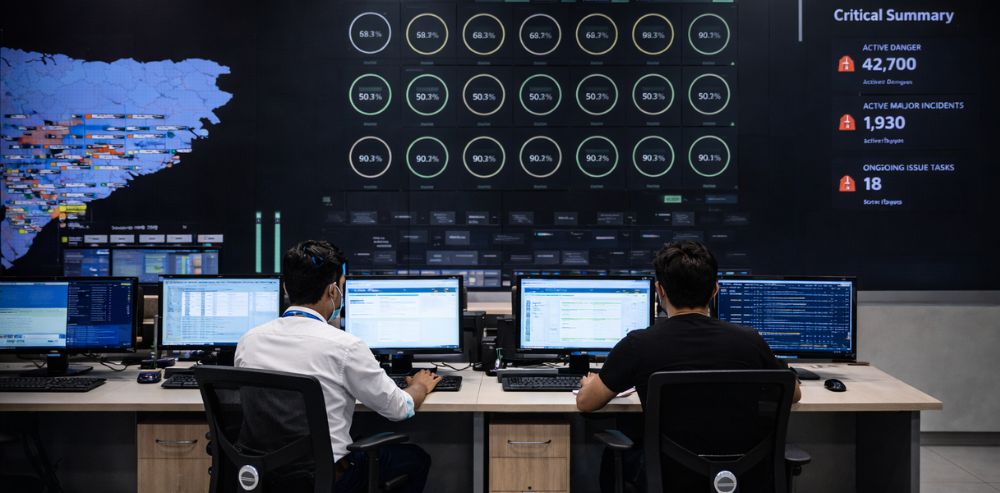
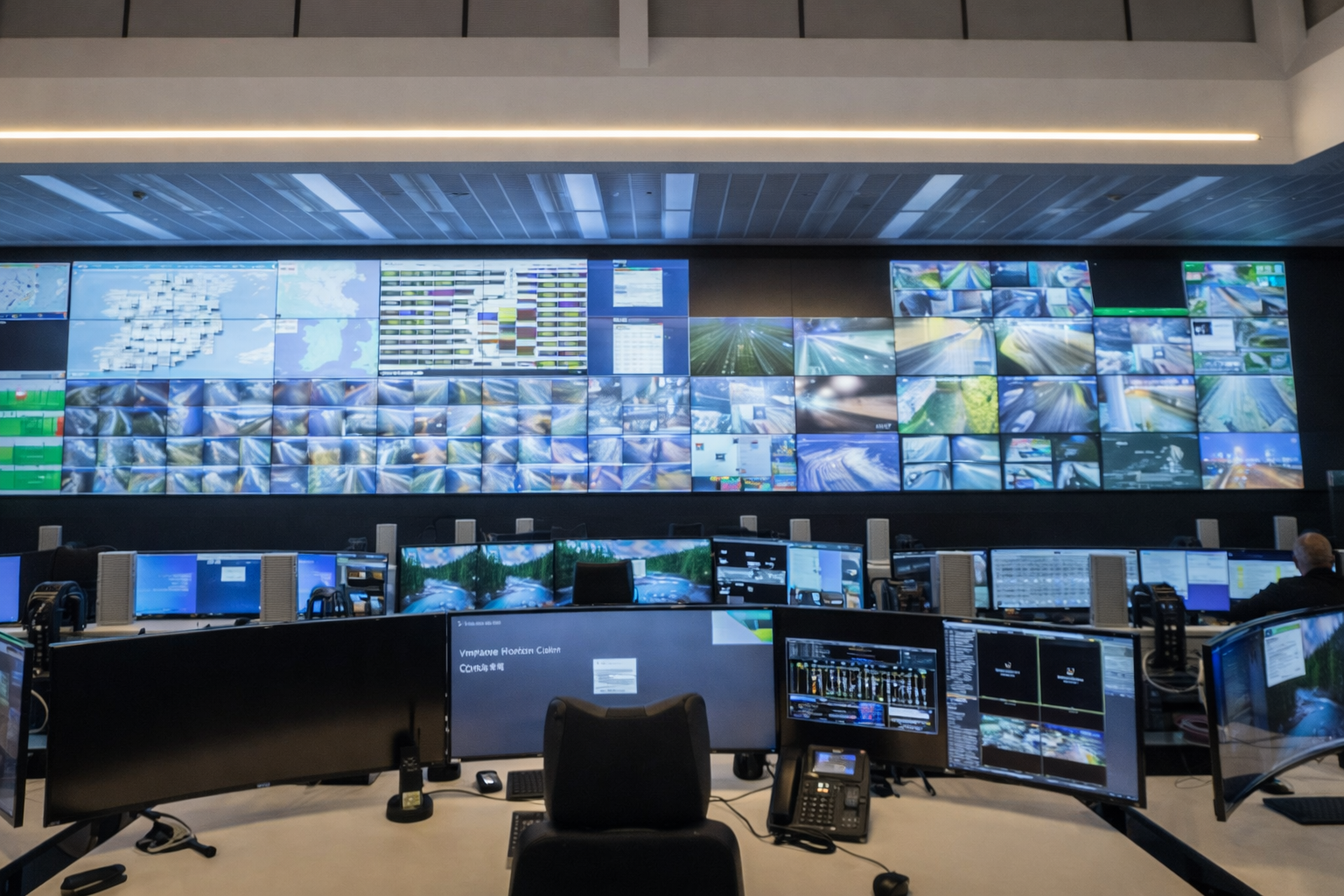
Enterprises now build real-time monitoring environments where critical operations appear on large multi-screen displays. Supply chains, networks, cybersecurity alerts, and production systems appear in one shared visual space.
Teams stop searching for information.
They see it instantly.
Decision speed improves.
Why War Rooms Are Returning to the Enterprise
Traditional war rooms appeared during crises. Companies gathered teams around whiteboards and printed reports. The approach worked during short emergencies but failed during daily operations.
Today’s operations move faster:
Supply chains span continents.
Factories operate around the clock.
Cyber threats evolve every minute.
Networks connect thousands of devices.
Leaders require constant operational awareness.
Digital war rooms provide that awareness. They combine data, visualization, and collaboration inside a command center environment.
Teams observe operations in real-time.
They identify anomalies early.
They respond before small issues escalate.
The modern war room operates as a permanent operations hub.
What Defines a Digital War Room
A digital war room functions as a centralized command center for enterprise operations. Multiple systems feed data into large visual displays. Operators monitor events across departments.
Typical components include:
Multi-screen video walls
Real-time data dashboards
Integrated communication tools
Redundant systems for reliability
Centralized control for content management
The goal involves one principle.
Visual clarity.
Every participant in the room must see the same information at the same time. Data appears structured, prioritized, and easy to interpret.
Operational teams then focus on action instead of analysis.
Where Digital War Rooms Deliver the Most Value
Different industries adopt digital command centers for different operational priorities. Four use cases appear across many sectors.
Supply Chain Monitoring
Global supply chains generate enormous operational complexity. Raw materials move through suppliers, ports, warehouses, and distribution networks.
One delay disrupts multiple downstream activities.
A supply chain war room visualizes logistics performance across regions.
Key dashboards display:
Shipment locations
Port congestion levels
Inventory across warehouses
Supplier performance metrics
Transportation delays
Let’s take an example.
A logistics dashboard highlights a shipment delay at a port in Southeast Asia. The delay risks halting a production line within two days.
The operations team immediately reroutes inventory from another warehouse. Production continues without interruption.
Without centralized visibility, the delay appears after the disruption begins.
Cybersecurity Monitoring
Cyber attacks move fast. Security teams require immediate awareness of suspicious activity.
A cyber command center visualizes network traffic, threat alerts, and system behavior.
Typical displays include:
Intrusion detection alerts
Network traffic patterns
Endpoint security status
Vulnerability scans
Active incident response timelines
Security analysts monitor the screens continuously.
When anomalies appear, teams isolate threats quickly.
Speed determines the outcome during cyber incidents. Visualization shortens response time.
Network Operations Centers
Telecom providers and digital service platforms operate large networks.
Outages affect thousands or millions of users.
Network operations centers rely heavily on visual monitoring.
Video walls display:
Network health indicators
Data traffic volumes
Service uptime metrics
Geographic outage maps
Device performance status
When a service disruption appears, engineers identify the affected region immediately.
The team begins troubleshooting without waiting for customer complaints.
Manufacturing Visibility
Factories rely on tightly coordinated production processes. Equipment failures or slowdowns disrupt output.
Manufacturing war rooms visualize plant performance.
Displays often include:
Machine utilization rates
Production output levels
Equipment health indicators
Quality inspection metrics
Safety alerts
Factory supervisors observe operational performance across multiple production lines.
When a machine slows or fails, teams intervene quickly.
Production efficiency improves.
Why Visualization Clarity Matters
Large screens alone do not guarantee effective monitoring.
Clarity determines value.
If dashboards contain cluttered charts, overlapping alerts, or inconsistent layouts, operators lose time interpreting the data.
Good visualization design follows simple principles.
Prioritize Critical Information
Important alerts must appear prominently.
Secondary metrics stay smaller.
Color coding highlights urgent issues.
Example:
Red indicates immediate operational risk.
Yellow indicates emerging risk.
Green indicates stable performance.
Operators interpret the situation instantly.
Limit Visual Noise
Too many charts overwhelm the viewer.
Command center dashboards focus on a few high-impact indicators.
Each display answers a clear operational question.
Example questions:
Where does risk exist right now?
Which systems require attention?
Which trends predict upcoming disruptions?
Clear answers lead to faster decisions.
Use Consistent Layouts
Standardized layouts across screens reduce confusion.
Operators learn where to look for information.
Decision speed improves because teams avoid searching for metrics.
Operators maintain focus during long monitoring sessions.
Example Layout of a Digital Command Center
The following table shows a typical multi-screen configuration.
Screen Area
Content Displayed
Purpose
Primary Center Wall
Real-time operational dashboard
Immediate system status
Left Display Cluster
Supply chain logistics view
Shipment tracking
Right Display Cluster
Cybersecurity alerts
Threat monitoring
Upper Displays
KPI summaries
Executive overview
Operator Desks
Interactive dashboards
Detailed analysis
This arrangement supports both monitoring and investigation.
Teams observe the big picture while accessing deeper data when required.
How Digital War Rooms Improve Decision Speed
Operational leaders measure the value of command centers through decision time.
Three improvements appear frequently.
Faster Problem Detection
Visual monitoring exposes anomalies earlier.
Operators see issues before alerts spread through reports or emails.
Early detection reduces operational damage.
Faster Collaboration
War rooms bring teams together.
Engineers, analysts, and managers share the same data environment.
Conversations focus on solutions instead of data verification.
Faster Execution
Clear information supports decisive action.
Teams deploy fixes immediately.
Operational downtime decreases.
Let’s take another example.
Consider a large manufacturing enterprise.
The command center monitors production across five plants.
A dashboard highlights a sudden drop in output at one facility.
The team investigates immediately.
Machine telemetry identifies overheating in a critical component. Maintenance crews replace the component within two hours.
Production resumes the same day.
Without real-time visibility, the slowdown appears during the next reporting cycle.
The delay lasts far longer.
The Future of Enterprise Command Centers
Digital war rooms continue to evolve as data platforms expand.
Several trends shape future command centers.
AI-Assisted Monitoring
AI systems analyze operational data and highlight anomalies.
Operators focus on high-priority alerts instead of scanning dashboards.
Predictive Visualization
Predictive analytics show possible future disruptions.
Supply chain delays or equipment failures appear before they occur.
Teams plan responses earlier.
Remote Command Center Access
Cloud-based dashboards allow leaders outside the command center to monitor operations.
Mobile access extends visibility to field teams.
Despite these advancements, one principle stays constant = operational decisions depend on clear information presented at the right moment.
Wrapping Up
Enterprise operations grow more complex each year. Supply chains span regions. Networks support thousands of systems. Factories run continuous production cycles. Cyber risks demand constant monitoring.
Teams require instant awareness of operational conditions.
Digital war rooms solve this challenge. They place critical data in one shared visual environment where teams observe systems, detect risks early, and coordinate responses quickly.
Well-designed command centers improve how organizations monitor performance, respond to incidents, and maintain operational continuity.
The core advantage stays simple = when teams see the same information at the same time, decisions happen faster.
Build Your Digital Command Center with Resurgent AV Integrators
Today’s Command Centers need a robust audiovisual system and an intelligent screen and master control. This combination provides teams with visibility into their operations effectively without any delays or technical friction.
Resurgent AV Integrators builds AV components for the enterprise-grade environment that conducts real-time monitoring. We build infrastructure for operations that demand greater performance, ranging from video walls for command centres to sophisticated meeting room systems that connect distributed teams.
With over a decade of experience, Resurgent AV builds customized deployment plans, a stringent quality control process, and dedicated project delivery teams that align every solution with your business objectives.
Resurgent AV has the expertise and technology needed to help your organization build or upgrade your digital command center to support quicker decisions and smoother operations.
Why Command Centers Fail When the Situation Turns Real
Why command centers fail in real crises and how visibility, coordination, and AV design impact fast, accurate decision-making under pressure You invest in a command center. You test it. You run drills. Everything works. Then a real incident hits. Data floods in. Calls spike. Teams overlap. Decisions slow down. Screens show data, but no one […]
Reskilling at Scale: Why Training Infrastructure Is Now a Strategic Asset
Learn why scalable training infrastructure drives workforce reskilling, improves retention, and supports hybrid learning in modern enterprises. Your teams are learning all the time. New tools arrive every quarter. Compliance rules change without notice. AI reshapes job roles faster than most learning plans adapt. Now ask yourself a simple question – is your training environment […]
Rethink the standard meeting room. Learn how finance reviews, board updates, and cross-region meetings need different AV design and spatial intent. Does every meeting room in your office look the same? Same table. Same chairs. Same screen. Same camera. Now ask yourself. Do all your meetings behave the same way? Yet most enterprises replicate one […]